How to Fix "Crawled – Currently Not Indexed" in Google Search Console

In the landscape of modern SEO, few status reports in Google Search Console (GSC) are as frustrating as the "Crawled – currently not indexed" exclusion. Unlike many technical errors that provide a binary solution, this status is often a subjective judgment call by Google's algorithms. It signifies that Googlebot successfully reached your server, requested the URL, downloaded the content, and processed it, yet decided the page did not meet the quality threshold required for inclusion in the primary search index.
For large-scale e-commerce sites, news publishers, and growing SaaS platforms, this status can affect thousands of pages, effectively rendering content investments invisible. When a page is stuck in this state, it isn't a matter of "finding" the page; Google already knows it exists. The challenge lies in convincing the algorithm that the page provides unique, additive value to the web that warrants the cost of storage and retrieval in Google’s index. Understanding the nuance of this status is the first step in reclaiming your site’s organic visibility.
Fixing this issue requires a move away from superficial technical tweaks and toward a holistic evaluation of content quality, site authority, and internal link architecture. In this guide, we will break down the precise triggers for the "Crawled – currently not indexed" status, how it differs from other indexation hurdles, and a data-driven workflow for moving these URLs into the "Valid" bucket. If you are struggling to understand why your pages are ignored despite being technically sound, our audit tools can help pinpoint the specific internal linking and content gaps causing the friction.
- Crawled vs. Discovered: "Crawled – currently not indexed" means Google has visited the page but rejected it; "Discovered – currently not indexed" means Google knows the URL exists but hasn't bothered to crawl it yet.
- Quality Threshold: The most common cause is a lack of unique value. If the page is too similar to other pages on your site or the web, Google will exclude it to save resources.
- Internal Link Equity: Pages with low internal link counts are often flagged as unimportant, signaling to Google that even the site owner doesn't prioritize the content.
- Technical Nuances: Incorrect canonical tags, faceted navigation, and JavaScript rendering issues can sometimes trigger this status even if the content is high quality.
- Remediation: Success involves a combination of content consolidation, enhancing E-E-A-T signals, and strategic internal link injection.
The Anatomy of the Status: Crawled vs. Discovered
To fix indexation issues, you must first speak Google's language. The Index Coverage report categorizes URLs into several buckets, and misidentifying the problem leads to wasted effort. The "Crawled – currently not indexed" status is distinct because the "crawl" portion of the journey is complete. The server responded with a 200 OK, the HTML was parsed, but the indexer (Caffeine) decided to discard the result.
Crawled – currently not indexed
In this scenario, Googlebot has spent "crawl budget" on your URL. It has seen your headers, your text, and your media. The exclusion is a choice. Google generally does this when it believes indexing the page would not improve the user experience of its search results. Common reasons include thin content, near-duplicate content (even if not technically a duplicate), or a lack of authority. This is often a "soft" rejection based on quality rather than a "hard" rejection based on technical directives like noindex tags.
Discovered – currently not indexed
This status indicates that Google found the URL—usually via a sitemap or an internal link—but has not yet attempted to crawl it. This is typically a crawl budget issue or a sign that the site is so new or low-authority that Google is pacing its exploration. If you have a massive site with millions of URLs, seeing this is normal. If you have a small site, it suggests your server is slow or your site architecture is so deep that Google isn't prioritizing these "discovered" nodes. Distinguishing between these two is critical: "Discovered" requires improved crawl efficiency, while "Crawled" requires improved content quality.
Duplicate without user-selected canonical
Sometimes, "Crawled – currently not indexed" is a precursor to this status. If Google crawls a page and realizes it is 99% identical to another page on your site, it may simply exclude it. If you haven't specified which version is the master copy using a rel="canonical" tag, Google will pick one for you. If Google picks a different version than you intended, the non-selected version ends up in the excluded bucket.
Top Causes of Indexation Rejection
Why does Google go through the effort of crawling a page only to ignore it? The reasons generally fall into four categories: quality, duplication, architecture, and technical execution. Understanding these helps you prioritize which pages to fix and which to delete.
1. Thin and Templated Content
This is the leading cause for e-commerce and programmatic sites. If a page consists mostly of boilerplate text (headers, footers, sidebars) with only one or two sentences of unique content, Google views it as "thin." For example, a category page with no products or a tag page with only one post provides little value to a searcher. Google’s goal is to avoid "pogo-sticking," where a user clicks a result only to find a page that offers no substantial information.
2. Near-Duplicate Content and Cannibalization
If you have five pages targeting nearly identical keywords—such as "best running shoes for men" and "top running shoes for men"—Google may crawl all of them but only index the one it deems strongest. The others will be relegated to "Crawled – currently not indexed." This is a form of internal competition. Unlike a direct duplicate (where the code is the same), near-duplicates have different words but the same search intent. For a deeper dive into how Google interprets these nuances, see our guide on search intent explained.
3. Low Site-Wide Quality Signals
Indexation is not just about the individual page; it is about the "neighborhood" the page lives in. If 70% of your site is low-quality, Google may become more selective about indexing new pages, even if those new pages are decent. This is often referred to as a "site-wide quality adjustment." If Google perceives your domain as a source of low-value content, your "indexation threshold" increases, meaning every new page has to work harder to be accepted.
4. Faceted Navigation and Filter URLs
E-commerce sites often generate thousands of URLs through filters (color, price, size). If these URLs are crawlable but don't have unique SEO value, Googlebot will crawl them, realize they are just filtered views of existing categories, and drop them from the index. This consumes massive amounts of crawl budget and is a primary driver of the "Crawled – currently not indexed" status in the Retail sector.
| Symptom | Likely Root Cause | Primary Fix |
|---|---|---|
| Category pages with 0-2 items | Thin content / Low value | Add content or Noindex |
| Product variations (Size/Color) | Duplicate content | Canonicalize to parent product |
| Old blog posts with no traffic | Content decay / Quality | Update, merge, or delete |
| Search result pages (/search?q=) | Low-value automated pages | Noindex or Disallow in robots.txt |
| URLs with tracking parameters | Technical duplication | Configure URL parameters in GSC / Canonicals |
The Role of Crawl Budget and Authority
Google does not have infinite resources. Every time Googlebot visits your site, it has a "budget"—a limit on how many pages it will crawl and how much load it will put on your server. If your site has millions of pages but a low domain authority, Google will eventually stop indexing pages that it deems "low priority."
When a page is "Crawled – currently not indexed," it means the page passed the crawl budget test but failed the "worth keeping" test. However, for very large sites, these two concepts overlap. If Google spends its budget on 10,000 low-quality URLs, it may run out of patience before it reaches your high-quality content. This is why monitoring your rankings and indexation status daily is crucial; if you see a spike in excluded URLs, it often precedes a drop in overall site visibility.
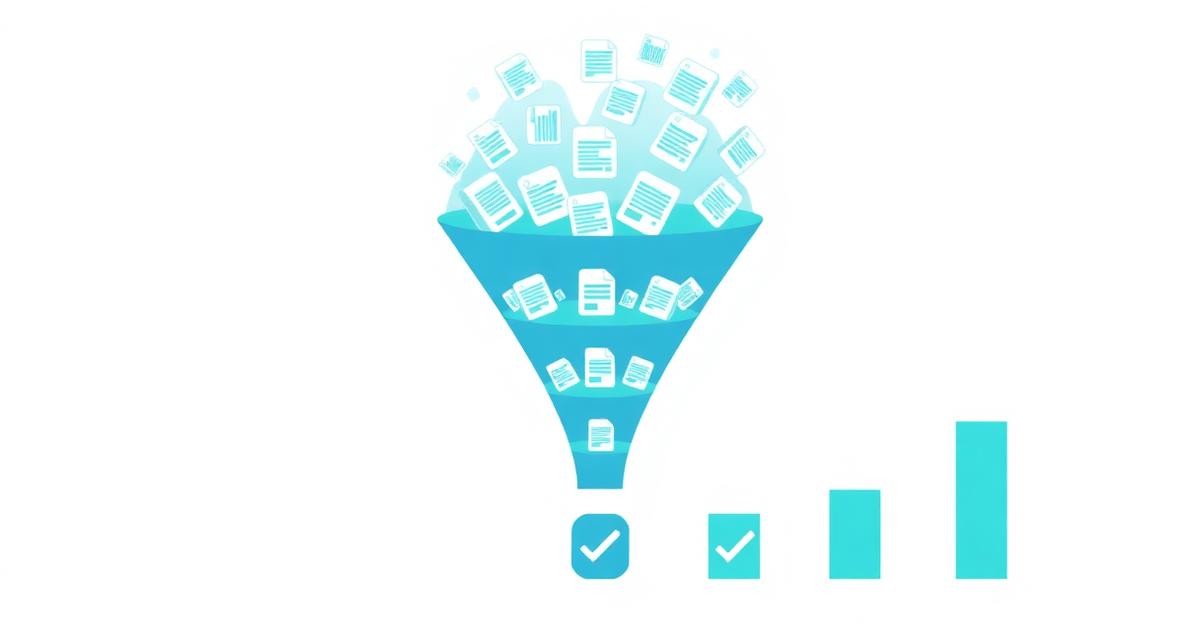
"Indexing is not a right; it is a privilege earned through unique value and clear site architecture. If Googlebot has crawled your page and walked away without indexing it, the problem is rarely technical—it is almost always a matter of perceived utility."
Step-by-Step Remediation Workflow
If you have identified a significant number of URLs in the "Crawled – currently not indexed" bucket, follow this structured workflow to diagnose and resolve the issue.
Step 1: Use the URL Inspection Tool
Start by inspecting a representative sample of the affected URLs. In GSC, paste the URL into the top search bar. Look at the "Coverage" section. Does it show a user-declared canonical? Does Google agree with that canonical? Click "Test Live URL" to see if Google can currently access and render the page. If the live test shows that the page cannot be rendered (e.g., a JavaScript error hides the main content), you've found a technical cause. If the page renders perfectly but isn't indexed, proceed to Step 2.
Step 2: Evaluate Content Uniqueness
Compare the excluded URL to your indexed URLs. Ask yourself: "If a user landed on this page versus my top-performing page, would they find new information?" If the answer is no, you have a content overlap issue. You should either significantly expand the content on the excluded page or use a 301 redirect to merge it into the existing indexed page. Consolidating "thin" pages into a single "power" page is one of the fastest ways to improve indexation. For more on this, read about diagnosing ranking drops related to content quality.
Step 3: Analyze Internal Linking
Google uses internal links to understand the hierarchy and importance of pages. If a page is only linked to from a deep paginated folder or a sitemap, Google views it as a "low-priority" leaf node. To fix this, inject internal links from high-authority, indexed pages (like your homepage or main category pages) to the excluded URLs. This passes "link equity" and signals to Google that the page is important enough to be indexed. You can use keyword research to find relevant anchor text for these new internal links.
Step 4: Check for "Soft" 404s
Sometimes, a page might look fine to a user but return a "Soft 404" to Google. This happens when a page is nearly empty or conveys a "not found" message despite returning a 200 OK status code. Google will crawl these but refuse to index them. Ensure that your "Out of Stock" pages or "No Results Found" pages are either updated with relevant content or correctly status-coded as 404 or 410.
Decision Matrix: Fix, Delete, or Consolidate?
Not every page in the "Crawled – currently not indexed" bucket needs to be fixed. In fact, many of them shouldn't be in the index at all. A common mistake is trying to force Google to index pages that have no search demand.
| Scenario | Recommended Action | SEO Impact |
|---|---|---|
| High-quality blog post, 0 internal links | Add 3-5 internal links from top pages | Increases priority and indexation probability |
| Near-duplicate of a stronger page | 301 Redirect to the stronger page | Consolidates signals and prevents cannibalization |
| Low-value tag or archive page | Apply 'noindex, follow' tag | Saves crawl budget for important pages |
| Outdated news or expired promotion | Delete and 410 (Gone) or 301 to home | Cleans up the site graph |
| High-value page with rendering issues | Fix CSS/JS blocking in robots.txt | Allows Google to see the content value |
Advanced Technical Considerations
If you've addressed content quality and internal linking but the issue persists, you may be facing more complex technical hurdles. These are common in modern web development frameworks like React, Angular, and Vue.
JavaScript Rendering Issues
Googlebot has two stages of indexing. First, it crawls the HTML. Then, it renders the JavaScript. If your content is only visible after JavaScript execution, and that execution takes too long or fails, Google will see a blank page during the initial crawl. It might then place the URL in the "Crawled – currently not indexed" bucket while it waits for resources to perform a full render. If the render never happens successfully, the page stays excluded. Ensure you are using Server-Side Rendering (SSR) or Static Site Generation (SSG) for mission-critical content.
Incorrect Use of Nofollow
While a `nofollow` attribute on a link tells Google not to pass authority, Google can still discover the URL. If the *only* links pointing to a page are `nofollow`, Google may crawl the page but decide it isn't worth indexing because no one is "vouching" for it. Review your internal link structure to ensure all important pages are linked via standard `dofollow` links.
Crawl Budget Exhaustion on Large Domains
For sites with over 100,000 URLs, "Crawled – currently not indexed" can be a sign of inefficiency. If Google spends all its time crawling low-value facets, it will eventually stop indexing new content to protect its own infrastructure. In this case, the solution isn't to fix the excluded pages, but to **restrict** Google's access to low-value areas of the site using the `robots.txt` Disallow directive. This forces Googlebot to focus its energy on the pages that actually generate revenue. Managing this balance is a core part of SEO for agencies managing enterprise clients.
How Long Does It Take to See Results?
Patience is required when dealing with indexation. Unlike a manual penalty, there is no "Request Review" button for "Crawled – currently not indexed" that guarantees a specific turnaround time. Instead, you are waiting for Google to re-crawl the page and for the quality algorithms to re-evaluate it. If you are wondering how long SEO takes to work, indexation fixes typically fall into the 2 to 6-week range.
- Week 1: Implement changes (content updates, internal links, redirects).
- Week 2: Update sitemaps and use the GSC "Request Indexing" tool for the most important URLs (limit 10-15 per day).
- Week 3-4: Monitor the "Crawl Stats" report in GSC to see if Googlebot frequency has increased for the affected directory.
- Week 5-6: Check the Coverage report. If URLs are still excluded, the quality improvement was likely insufficient.
If you are working with an external partner, ensure they aren't using "black hat" indexing services, which can lead to long-term domain distrust. See our guide on red flags when hiring an SEO agency for more on safe practices.
Strategic Content Consolidation
Often, the best way to fix an indexation problem is to have fewer pages. In the early days of SEO, "more pages = more traffic" was a common mantra. In 2026, this is no longer true. Google prefers a single, comprehensive guide over ten short, fragmented articles. If you have multiple pages stuck in the "Crawled" bucket, consider a "Merge and Purge" strategy.
Identify a "Parent" URL that is already indexed and performing well. Take the unique information from the excluded "Child" URLs and add it to the Parent. Then, 301 redirect the Child URLs to the Parent. This not only solves the indexation issue by removing the low-quality pages but also strengthens the Parent page, potentially moving it higher in the SERPs. This is a common tactic used when ranking in competitive niches where only the most authoritative content survives.
Monitoring and Prevention
To prevent this status from returning, implement a "minimum viable quality" standard for all new content. Every new URL should have:
- At least 500 words of unique, non-templated text.
- A clear, unique H1 and meta description.
- At least two internal links from existing indexed pages.
- A valid self-referencing canonical tag.
Frequently asked questions
Is "Crawled – currently not indexed" a penalty?
No, it is not a manual action or a formal penalty. It is an algorithmic filtering process. It simply means Google has decided the page isn't useful enough to include in the index right now. Your site is still in good standing, but the specific URLs in this bucket are not contributing to your organic traffic.
Will requesting indexing in GSC fix this?
Requesting indexing is a temporary signal to Google to re-crawl a page, but it does not bypass the quality filter. If you request indexing without changing the content or the internal link structure, Google will simply crawl it again and likely put it back into the "Crawled – currently not indexed" bucket.
Can I use the 'URL Removal' tool to fix this?
No. The URL Removal tool is for temporarily hiding pages that are already indexed from appearing in search results (usually for privacy or legal reasons). It does not help with indexation issues and can actually make things worse if misused.
Do internal links really help with indexation?
Yes, significantly. Internal links act as a vote of confidence. When a high-authority page links to a new or excluded page, it passes PageRank (link equity). Google is much more likely to index a page that has multiple paths leading to it from the rest of the site, as this indicates the page is part of the site’s core structure.
What if my entire site is "Crawled – currently not indexed"?
If this is happening site-wide, you likely have a significant technical barrier or a major domain-level quality issue. Check your `robots.txt` for accidental blocks, verify that your server isn't serving errors to Googlebot (User-Agent specific errors), and ensure your domain hasn't been flagged for mass-produced AI content without human oversight. For new domains, this may also just be a sign that you haven't built enough topical authority yet.
Summary of Action Plan
Fixing indexation isn't about one single trick; it's about proving value. If you find yourself stuck, go back to basics. Improve the content, simplify the technical architecture, and ensure your most important pages are well-connected. To keep a pulse on how these changes affect your visibility, use RankThrottle’s rank tracker to monitor how your newly indexed pages begin to perform in the SERPs. Understanding the "why" behind Google's exclusions is the only way to build a sustainable, search-engine-friendly web presence in 2026 and beyond.