How to Do an SEO Audit: A Step-by-Step Checklist for 2026
Conducting an SEO audit is no longer a simple exercise in checking meta tags and running a site speed test. In 2026, the search landscape has shifted toward a multimodal, AI-integrated ecosystem where Google’s AI Overviews, Perplexity citations, and ChatGPT’s browsing capabilities dictate visibility as much as traditional blue links. Learning how to do an SEO audit today requires a sophisticated understanding of how search engines crawl, render, and interpret the relationship between your content and the user’s ultimate intent.
A comprehensive audit serves as a diagnostic roadmap. It identifies the friction points preventing your site from ranking and reveals the content gaps that competitors are currently exploiting. Whether you are managing a large enterprise site or a niche blog, the goal of an audit is to move from data collection to actionable strategy. Without a prioritized plan, you risk "analysis paralysis," where hundreds of technical issues are identified but none are fixed in a way that moves the needle on revenue or organic traffic.
This guide outlines a professional-grade workflow for performing a website SEO audit. We will cover technical hygiene, content quality, site architecture, and the evolving world of AI search optimization. By the end of this checklist, you will have the clarity needed to either execute these changes in-house or hire a specialist from our directory of vetted SEO agencies to handle the heavy lifting.
- Baseline Tracking: You cannot measure success without a snapshot of current performance using Search Console and third-party rank trackers.
- Technical Health: The foundation of SEO remains crawlability and indexation; if the bots can't see it, the users won't either.
- Content Decay & Quality: Modern SEO is about pruning low-value pages and consolidating authority into comprehensive pillars.
- User Experience: Core Web Vitals and mobile-first rendering are non-negotiable ranking factors in 2026.
- AI Readiness: Optimizing for AI-assisted search requires structured data and clear, authoritative information nodes.
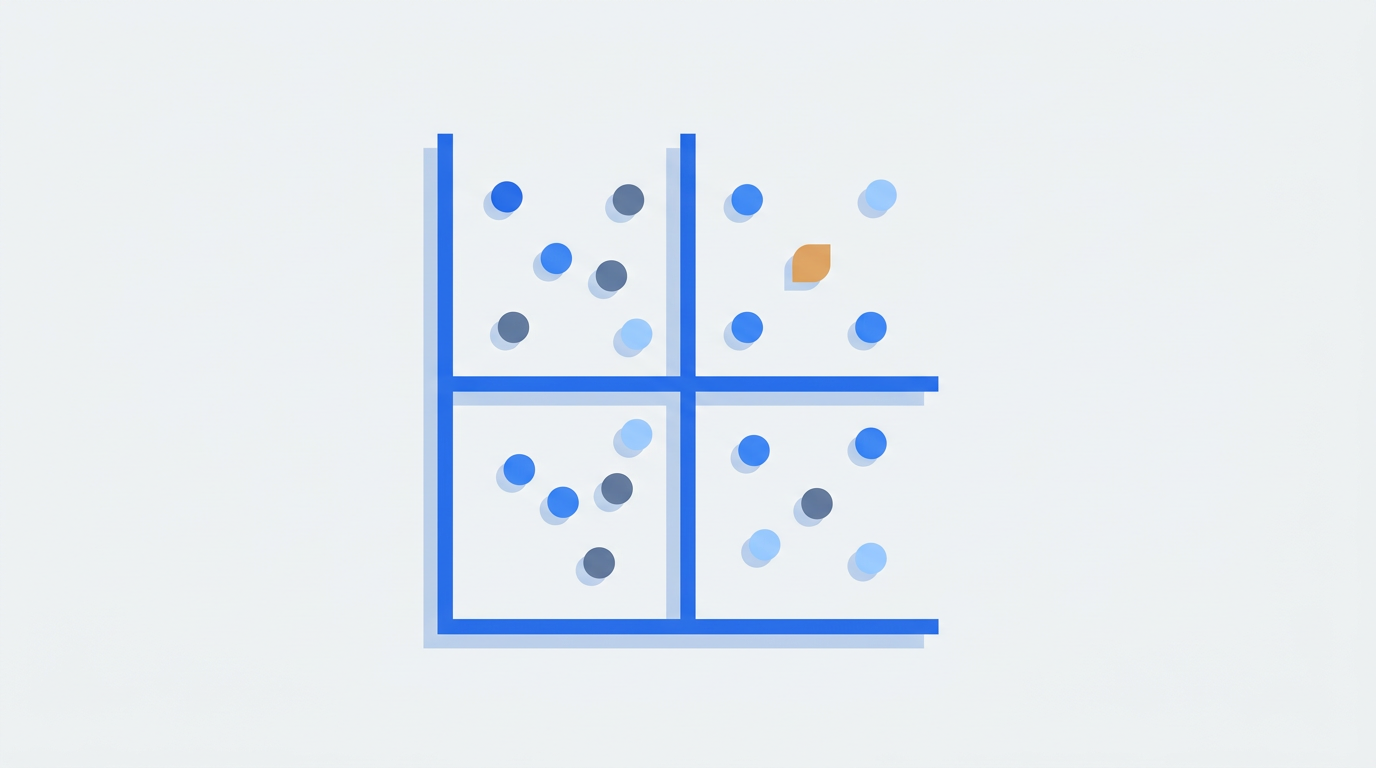
- Prioritization: Every audit must conclude with an Impact vs. Effort matrix to ensure the highest ROI activities are completed first.
Phase 1: Establishing the Audit Scope and Performance Baseline
Before diving into the code, you must define what "success" looks like for this audit. Are you auditing the entire domain, a specific subfolder (like /blog), or a new product launch? Establishing a baseline is critical because SEO is a relative game. You need to know where you stand today to understand the impact of your fixes tomorrow. Start by pulling 12 months of data from Google Search Console (GSC) and Google Analytics 4 (GA4). Look for sudden drops in traffic, which often signal a manual action or a significant algorithmic shift.
During this phase, you should also configure your rank tracking environment. While GSC provides average positions, it often lacks the granularity needed for local or device-specific analysis. Understanding Rank Tracking vs. Google Search Console differences will help you realize why professional tools are necessary for a complete picture. You should be tracking your primary keywords across both desktop and mobile, as the SERP features can vary wildly between the two. If you haven't yet, set up keyword tracking for your core commercial pages immediately.
| Audit Phase | Primary Goal | Key Tools Needed |
|---|---|---|
| 1. Benchmarking | Establish current traffic and ranking baselines. | GSC, GA4, RankThrottle Tracker |
| 2. Technical Crawl | Identify crawl blocks, 404s, and indexation errors. | Screaming Frog, Sitebulb, Ahrefs |
| 3. On-Page & UX | Optimize content relevance and page speed. | PageSpeed Insights, GSC Core Web Vitals |
| 4. Authority & Links | Evaluate backlink profile and internal link equity. | Majestic, Semrush, Search Console |
| 5. Competitive Gap | Identify keywords and features competitors win. | RankThrottle Content Gap, SpyFu |
Phase 2: Crawlability and Indexation Analysis
The core of any technical SEO audit 2026 is ensuring that search engine spiders can efficiently navigate your site. Crawl budget is a finite resource, especially for sites with over 10,000 pages. If your site is bloated with thin content, duplicate parameters, or broken redirects, you are wasting the bot's time. Start by running a full crawl of your site. Pay close attention to the status codes. Any 4xx errors should be fixed or redirected, and 5xx errors must be investigated at the server level.
Next, dive into the Indexing report in GSC. One of the most common issues site owners face is the dreaded "Crawled – Currently Not Indexed" status. This typically indicates that Google found the page but decided it wasn't valuable enough to include in the index. We have a dedicated guide on how to fix Crawled – Currently Not Indexed that goes into detail on how to resolve quality and duplicate content issues that lead to this state. Also, check your robots.txt file to ensure you aren't accidentally blocking critical CSS or JS files, which are necessary for Google to render the page correctly.
XML Sitemaps and Robots.txt
Your XML sitemap should only include "200 OK" pages that you actually want to rank. Including noindex pages, redirects, or canonicalized versions in your sitemap sends conflicting signals to Google. In 2026, it is also recommended to use specialized sitemaps for Video and News if your site produces that content frequently. Check your robots.txt for "Disallow" commands that might be overreaching. A common mistake is blocking /wp-content/ or similar directories that contain the assets needed for mobile rendering.
Canonicalization and Duplicate Content
Duplicate content dilutes your ranking power. Use the audit to ensure every page has a self-referencing canonical tag unless it is a duplicate intended to point to a master version. Common culprits for duplication include URL parameters (sorting, filtering), staging environments that aren't password-protected, and HTTP vs. HTTPS versions of the site. A clean canonical strategy ensures that Google knows exactly which URL to reward with rankings.
Phase 3: Technical Health and Site Performance
Google’s focus on user experience has only intensified. Site speed is no longer just a tie-breaker; it is a prerequisite for ranking in competitive niches. The Core Web Vitals (CWV) suite—comprising Largest Contentful Paint (LCP), Interaction to Next Paint (INP), and Cumulative Layout Shift (CLS)—measures how users actually experience your site's loading and stability. Even if your content is superior, a poor INP score can lead to lower rankings because it signals a frustrating user experience.
Rendering is another critical technical pillar. With the rise of JavaScript-heavy frameworks (React, Vue, Angular), many sites suffer from "partial rendering," where Googlebot sees a blank page or a loading spinner instead of the content. You must ensure that your critical content is present in the initial HTML or that you are using Server-Side Rendering (SSR) or Dynamic Rendering to serve a pre-rendered version to bots. Check the "URL Inspection" tool in GSC to see exactly how Google renders your pages.
Mobile-First Indexing and Responsiveness
Since Google switched entirely to mobile-first indexing, your mobile site *is* your site. An audit must verify that all content, structured data, and navigation elements present on the desktop version are also available on mobile. Often, mobile versions hide text behind "read more" buttons or remove sidebar links to save space. While Google can still see this hidden content, it may be weighted differently. If you notice significant discrepancies in your performance, read our analysis on why desktop vs. mobile rankings differ to diagnose the specific device-level issues.
HTTPS and Security
Security is a baseline requirement. Ensure your SSL certificate is valid and that you aren't serving "Mixed Content" (loading images or scripts over HTTP on an HTTPS page). Additionally, check for any security issues in GSC, such as malware flags or hacked content. In 2026, Google also looks at the transparency of the site—clear contact information, privacy policies, and terms of service contribute to the overall E-E-A-T (Experience, Expertise, Authoritativeness, Trustworthiness) of the domain.
Phase 4: On-Page SEO and Content Quality Audit
This is where many SEO audits fall short by only focusing on technical checkboxes. A website SEO audit step that is often missed is the qualitative assessment of content. You should categorize your content into three buckets: Keep, Improve, or Delete/Consolidate. High-performing content should be kept and monitored. Underperforming content with some traction should be improved or merged. Content with zero traffic and zero backlinks should often be deleted to reduce "dead weight" on the domain.
On-page optimization in 2026 is less about keyword density and more about semantic richness and search intent. Does the page answer the user's query better than the current top 3 results? Use an AI-driven content gap tool to see which subtopics you are missing. For example, if you are writing about "commercial insurance," but your competitors all have sections on "liability limits" and "premium factors" that you lack, your content is objectively less comprehensive in the eyes of an LLM or a search engine.
"Quality content is no longer just about writing for humans; it is about creating a data-rich environment that AI models can easily parse and attribute back to your brand."
Title Tags, Meta Descriptions, and H-Structure
While basic, these are still the primary way users interact with your brand in the SERPs. Ensure every page has a unique title tag that includes the primary keyword naturally. Meta descriptions don't directly impact rankings, but they significantly impact Click-Through Rate (CTR). Use the audit to find pages with high impressions but low CTR—these are your best candidates for meta description rewrites. Proper H1-H3 structure is also essential for accessibility and for helping search engines understand the hierarchy of your information.
Search Intent Alignment
If you are trying to rank a product page for an informational query, you will fail regardless of how many backlinks you have. Each target keyword has a specific intent: Informational, Navigational, Commercial, or Transactional. An audit should verify that your top-priority pages align with the search intent for your target keywords. If the SERP for your keyword is full of "How-to" guides and you have a "Pricing" page, you need to create a new informational asset to compete.
Phase 5: Internal Linking and Site Architecture
Site architecture is the blueprint of your website. A "flat" architecture, where most pages are only a few clicks away from the homepage, is generally preferred for SEO. During your audit, look for "orphan pages"—pages that have no internal links pointing to them. These pages are virtually impossible for Google to find and rank. Similarly, analyze your "link depth." If a key service page is 6 clicks deep into the navigation, it will receive very little "link juice" (PageRank) and will likely struggle to rank.
Internal linking is one of the most underutilized SEO levers. By strategically linking from your high-authority pages (like your homepage or viral blog posts) to your commercial "money" pages, you can pass significant ranking power. Use descriptive anchor text rather than "click here" or "learn more." However, avoid over-optimization; in 2026, excessive exact-match anchor text in internal links can look manipulative to Google's spam filters.
The Silo Strategy
Effective site architecture often involves "siloing" or "topical clustering." This means grouping related content together through internal links to establish your site as an authority on a specific subject. If you are an SEO platform, you might have a silo for "Rank Tracking," another for "Technical SEO," and another for "SEO Agencies." This structure helps search engines understand the topical breadth of your site. If you're struggling to organize this, looking at SEO agencies by industry can give you an idea of how specialized firms structure their own knowledge bases.
Phase 6: Backlink Profile and Off-Page SEO
Off-page SEO remains a pillar of the Google algorithm. An SEO audit must include a thorough review of your backlink profile. You are looking for two things: quality and risk. High-quality links from authoritative, relevant domains act as votes of confidence. Conversely, a sudden influx of low-quality, "spammy" links can trigger a manual action or a decline in trust. In 2026, Google is much better at ignoring spam links, so "disavowing" is rarely necessary unless you have a manual penalty, but monitoring is still vital.
Analyze your anchor text distribution. If 80% of your backlinks use the exact keyword you want to rank for, your profile looks unnatural. A healthy profile consists of branded anchors, URL-based anchors, and natural phrase variations. Furthermore, look at your competitors' backlink profiles. Where are they getting links that you aren't? This "link gap" analysis is the foundation of a successful outreach strategy. If you find that your competitors have a much stronger profile, you may need to consider the cost vs. ROI of an agency that specializes in high-end PR and link building.
Phase 7: AI Search Optimization and Schema Markup
As we move deeper into the era of AI Overviews (SGE) and AI-led search engines, your audit must account for "LLM-friendliness." This involves using structured data (Schema.org) to provide explicit context to search engines. Schema doesn't just help with rich snippets; it helps AI models understand the entities, relationships, and facts on your page. Ensure you have implemented Organization, Product, Article, and FAQ schema where appropriate.
Optimization for AI also requires clear, authoritative statements. AI engines like Perplexity and Google’s Gemini prefer content that is easy to summarize and cites reputable sources. To learn more about this evolving field, check our guide on AI Search Optimization. During your audit, test how your site is cited (or if it is cited at all) by these tools for your primary keywords. If you are missing, it may be because your content is too conversational and lacks the structured data or clear headers needed for AI extraction.
Phase 8: Competitor and Content Gap Analysis
An SEO audit is incomplete if it only looks at your own site in a vacuum. You must compare your performance against your top 3-5 organic competitors. These aren't necessarily your business competitors, but the sites that occupy the rankings you want. Use a content gap tool to identify keywords that multiple competitors rank for, but you do not. This is often the fastest way to find new content opportunities with proven demand.
Look at the "Share of Voice" for your industry. Who is dominating the informational queries? Who owns the local map packs? Understanding what share of voice is in SEO allows you to set more realistic KPIs for your stakeholders. If a competitor has a significantly higher share of voice despite having fewer pages, analyze their site architecture and internal linking—they are likely concentrating their authority more effectively than you are.
| Priority Item | Impact | Effort | Next Step |
|---|---|---|---|
| Fix 404s on High-Link Pages | High | Low | Redirect to relevant live pages |
| Optimize LCP and INP | High | Medium/High | Compress images, defer JS |
| Prune 0-Traffic Thin Content | Medium | Medium | Delete or consolidate into pillars |
| Implement Missing Schema | Medium | Low | Use JSON-LD for Articles/Products |
| Close Content Gaps | High | High | Create new, intent-aligned assets |
Phase 9: Analytics and Tracking Hygiene
Data integrity is the foundation of all SEO reporting. If your tracking is broken, your audit findings are based on a lie. Verify that your GA4 tags are firing correctly on all pages and that you aren't double-counting conversions. Check your "Referral Exclusion List" to ensure that payment gateways (like PayPal or Stripe) aren't being credited with your sales instead of the organic search channel.
In GSC, ensure that all versions of your site (WWW vs. non-WWW, HTTP vs. HTTPS) are verified or that you are using a Domain Property to capture all data. Review your "Search Results" report to see if there are any suspicious trends. For example, if your impressions are stable but your clicks are dropping, it might be due to a new SERP feature (like an AI Overview) stealing your traffic. For a deeper dive into diagnosing these issues, read our guide on 9 causes for a ranking drop.
Phase 10: Prioritization and the Action Plan
The final, and most important, part of how to do an SEO audit is the creation of a prioritized action plan. A 50-page audit report is useless if it sits in a drawer. You must translate your findings into a task list categorized by Impact and Effort. Start with the "Quick Wins"—tasks that are easy to implement but have a significant impact, such as fixing broken redirects on high-traffic pages or updating meta tags for pages on the second page of Google.
For larger technical issues, you may need to coordinate with a development team. This is where many in-house SEO efforts stall. If your dev backlog is too long, you might consider hiring an outside specialist to manage the implementation. Knowing what questions to ask an SEO agency before you hire them can save you months of frustration. A good agency won't just give you a list of problems; they will provide the solutions and help you implement them.
When to Hire an SEO Agency
Auditing a small site is manageable for a marketing generalist. However, enterprise-level audits, complex migrations, or recovery from core updates often require specialized expertise. If your audit reveals deep-seated technical issues like server-side rendering problems or a manual penalty, the stakes are too high for trial and error. Furthermore, if you find that your content needs a complete overhaul, an agency with a dedicated content team can scale your production faster than you can in-house. Check out the SEO agency pricing in 2026 to see what a professional engagement might cost for your business size.
Printable SEO Audit Checklist
- Verify Google Search Console and GA4 connectivity.
- Run a full site crawl and export status codes.
- Check robots.txt and XML sitemaps for errors.
- Analyze Core Web Vitals (LCP, INP, CLS) for mobile and desktop.
- Identify and fix "Crawled – Currently Not Indexed" pages.
- Audit mobile-friendliness and rendering consistency.
- Review all 301 and 302 redirects.
- Evaluate on-page elements (Titles, Metas, H1-H3) for priority pages.
- Perform a content quality audit (Keep/Improve/Delete).
- Check internal link depth and find orphan pages.
- Analyze backlink profile for spam and link gaps.
- Verify Schema.org implementation.
- Compare keyword rankings and Share of Voice with competitors.
- Create an Impact vs. Effort prioritization matrix.
Frequently asked questions
How long does a professional SEO audit take?
For a standard website of 100 to 1,000 pages, a comprehensive audit typically takes between 10 and 20 hours of manual analysis plus crawling time. Larger enterprise sites with complex architectures can take several weeks to fully audit. The timeline depends on the depth of the analysis and whether it includes a full competitive content gap assessment.
How often should I audit my website?
We recommend a full-scale audit at least once a year. However, high-growth sites or those in volatile industries should perform "mini-audits" quarterly. Additionally, you should always run a technical audit before and after a site migration, a major CMS update, or a redesign to ensure no ranking signals were lost in the transition.
Can I use free tools to do an SEO audit?
Yes, you can get a basic sense of your site's health using Google Search Console, PageSpeed Insights, and the Lighthouse tool in Chrome. However, for a professional-grade audit that identifies internal link issues, crawl budget waste, and competitive gaps, you will likely need paid tools like Screaming Frog, Ahrefs, or RankThrottle’s analysis features.
What is the most important part of an SEO audit?
Prioritization. Most websites have hundreds of minor technical "errors" that don't actually impact rankings. The most important part of the audit is filtering out the noise and identifying the 5-10 changes that will actually result in more traffic and revenue. Without prioritization, an audit is just a list of complaints.
Should I fix all the errors found in an audit?
Not necessarily. Some "errors" flagged by automated tools are intentional, such as blocking certain pages in robots.txt or using specific redirects for tracking. You should focus on fixing errors that impact crawlability, user experience, and content relevance. "Warning" level issues can often be addressed later once the high-priority items are resolved.
Conducting an SEO audit is a major undertaking, but it is the only way to ensure your digital strategy is built on a solid foundation. If the process seems overwhelming, remember that you don't have to do it alone. You can browse our directory of vetted SEO agencies to find a partner who can handle the audit and implementation for you, ensuring your site is ready for the challenges of search in 2026.