How to Set Up Keyword Tracking for a New Website (Step by Step)
Setting up a new website is a high-stakes endeavor where every decision—from site architecture to content velocity—impacts your eventual visibility. However, the most critical step often overlooked during the launch phase is establishing a robust measurement framework. Without knowing exactly where you stand in the search engine results pages (SERPs) from day one, you are effectively flying blind, unable to correlate your optimization efforts with actual performance gains.
Learning how to set up keyword tracking is not just about watching a number move from position 50 to position 10. It is about understanding the market's response to your brand, identifying which pages Google deems relevant for specific queries, and catching technical regressions before they tank your traffic. In 2026, where AI-generated snapshots and highly personalized SERPs are the norm, a standard "once-a-month" check is no longer sufficient for competitive niches.
This guide provides a comprehensive, technical walkthrough for founders, marketing managers, and SEO specialists on building a keyword tracking infrastructure from scratch. We will move beyond basic rank checking into strategic segmentation, URL mapping, and multi-device monitoring to ensure your new site has the best possible start.
Key Takeaways
- Verify Search Console Early: Google Search Console (GSC) is your source of truth for indexed keywords, but it lacks the real-time, localized precision of a dedicated rank tracker.
- Map Keywords to URLs: Never track a keyword in isolation; assign it to a specific target landing page to detect "cannibalization" early.
- Segment by Intent: Group keywords into "Informational," "Commercial," and "Transactional" buckets to report on funnel health rather than just raw volume.
- Prioritize Localization: Rankings differ significantly between zip codes and devices; your setup must reflect your actual target audience's behavior.
- Avoid Vanity Metrics: Focus on high-intent long-tail keywords initially rather than high-volume head terms that a new site cannot yet contest.
1. Establishing the Foundation: Google Search Console Integration
Before investing in third-party software, your first step in any keyword tracking setup is verifying ownership of your domain through Google Search Console. GSC provides first-party data directly from Google regarding which queries are driving impressions and clicks. While it has a data lag of roughly 48 to 72 hours, it is essential for identifying the "hidden" keywords you might have missed during your initial research.
For a new website, you should verify the domain at the "Domain" level rather than the "URL Prefix" level. This ensures you capture data for both HTTP and HTTPS protocols, as well as all subdomains (e.g., blog.yourdomain.com). Once verified, you can connect GSC to an advanced SEO rank tracker to blend Google's internal data with external, real-time position monitoring. This allows you to see the discrepancy between "Average Position" in GSC and the "Current Position" in a live environment.
It is important to understand the difference between these two data sources. GSC calculates an average based on every time your site appeared in a user's search result. If you rank #1 for a user in New York and #20 for a user in London, GSC might show an average of #10. A dedicated tracker gives you the exact rank for a specific, controlled location, which is much more actionable for localized SEO strategies. For a deeper dive into this distinction, read our comparison on Rank Tracking vs. Google Search Console.
2. Selecting a Realistic Starter Keyword Set
One of the most common mistakes when learning how to set up keyword tracking for a new site is over-ambition. New domains lack the "Authority" or "Trust" signals required to rank for broad, competitive head terms like "insurance" or "software." If you only track these terms, your reports will show #100+ for months, leading to stakeholder frustration.
The Seed Keyword List
Start by identifying 10-20 "seed" terms that describe your core business. These are not necessarily the ones you will rank for immediately, but they serve as the pillars for your keyword research. From these seeds, branch out into long-tail variations. For a new site, your initial tracking list should be composed of:
- Branded Terms: Your company name and specific product names. You should own the #1 spot for these almost immediately.
- Low-Difficulty Long-Tail Keywords: Queries with 4+ words that indicate specific intent (e.g., "best project management software for small architectural firms").
- Competitor Overlap: Terms your direct competitors are ranking for but perhaps providing thin content on.
The Keyword Worksheet
Use the following structure to organize your keywords before importing them into your tracking tool. This prevents the "messy data" problem that plagues older SEO accounts.
| Keyword | Search Intent | Target URL | Priority (1-3) | Expected Difficulty |
|---|---|---|---|---|
| How to fix a leaky faucet | Informational | /blog/fix-leaky-faucet | 2 | Low |
| Emergency plumber near me | Transactional | /services/emergency | 1 | High |
| [Brand Name] reviews | Navigational | /reviews | 1 | Low |
| Best plumbing tools 2026 | Commercial | /blog/best-plumbing-tools | 3 | Medium |
3. Mapping Keywords to Target URLs
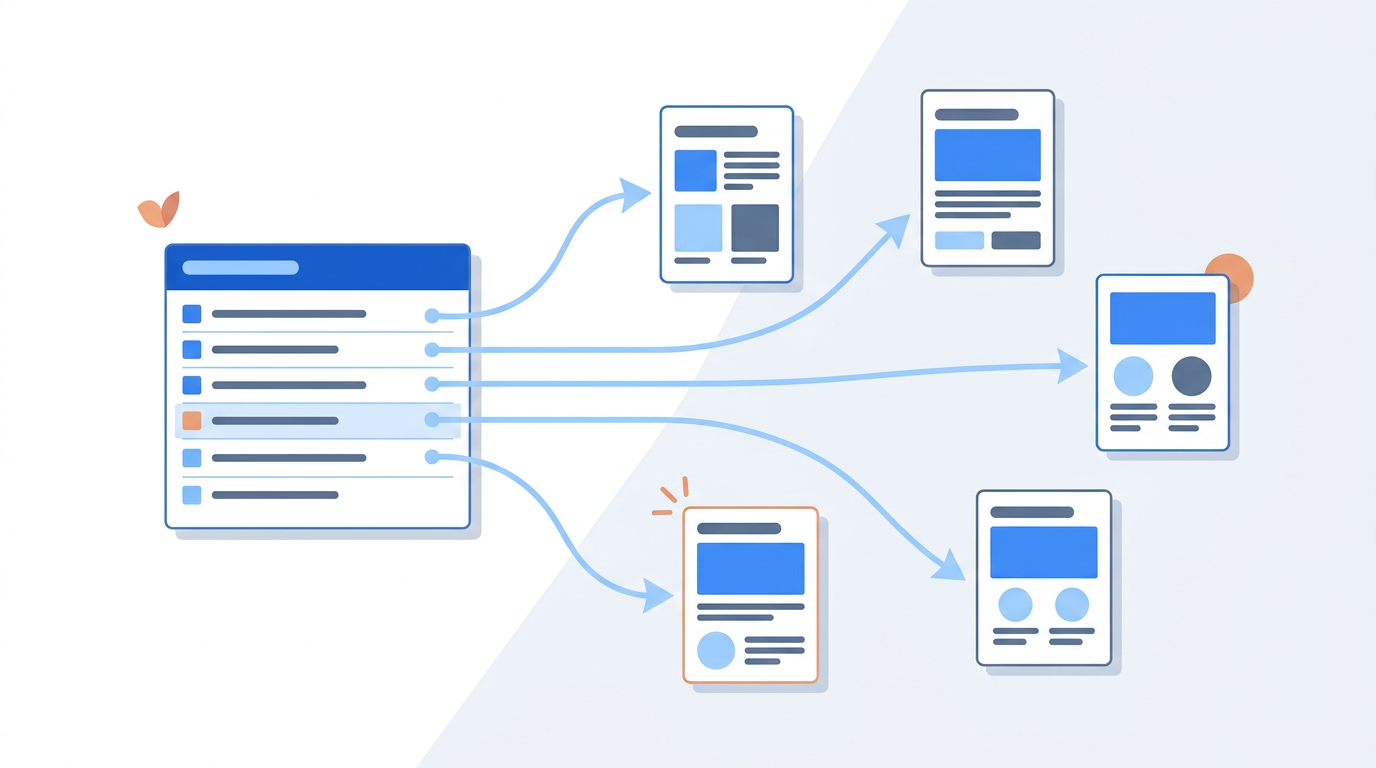
A rank tracker that only tells you the position of a keyword without identifying the ranking URL is only doing half the job. For a new website, "Keyword Mapping" is the process of assigning every tracked term to a specific page on your site. This is crucial for identifying technical SEO issues such as cannibalization—where Google isn't sure which of your pages is the best fit, causing both to fluctuate wildly in the rankings.
When you set up your tracking, input the "Target URL" alongside the keyword. If your rank tracker detects a different URL ranking for that term, it should trigger an alert. This usually indicates that your content optimization is off, or your internal linking structure is misleading search engines. Mapping also helps you monitor the progress of specific content marketing campaigns. If you've just published a new pillar page, you want to see that specific URL climbing the SERPs, not a random blog post from three years ago.
4. Configuring Locations and Devices
In the modern SEO landscape, there is no such thing as a "global" ranking. A user searching for a service on an iPhone in downtown Chicago sees a completely different SERP than a user on a Dell laptop in suburban London. When you set up keyword tracking, you must define your geographical and device parameters based on your business model.
Geographic Granularity
If you are a local business, tracking at the national level is useless. You need to track at the city or even zip code level. Conversely, if you are a global SaaS company, you should track your primary markets (e.g., US, UK, Canada, Australia) separately. This allows you to see if a specific algorithm update affected your rankings in one region but not another.
Desktop vs. Mobile Parity
Google uses mobile-first indexing, meaning it primarily uses the mobile version of your content for indexing and ranking. However, desktop users often exhibit different conversion behaviors. You should track both. If you see your mobile rankings dropping while desktop stays stable, it’s a red flag for Core Web Vitals or mobile usability issues. For more details on why these numbers diverge, see our guide on Desktop vs. Mobile Rankings.
5. Organizing Keywords with Tags and Groups
As your website grows, you will eventually track hundreds or thousands of keywords. Without proper organization, your data will become an unreadable wall of numbers. Using "Tags" is the best way to maintain a clean SEO reporting workflow.
We recommend a three-tiered tagging system for new websites:
- By Funnel Stage: Tag keywords as TOFU (Top of Funnel/Informational), MOFU (Middle of Funnel/Commercial), or BOFU (Bottom of Funnel/Transactional). This helps you report to stakeholders on how well you are attracting new leads versus closing sales.
- By Content Category: If your site covers multiple topics (e.g., "SEO Tips," "PPC Strategies," and "Email Marketing"), tag them accordingly. This allows you to see which areas of your site are gaining "Topic Authority" fastest.
- By Campaign: If you are running a specific holiday promotion or a backlink outreach campaign for a set of pages, tag those keywords so you can measure the direct ROI of those efforts.
"Rankings are a leading indicator, but segmented rankings are a diagnostic tool. Don't just track 'rank'; track 'rank by intent' to understand where your content strategy is failing to convert."
6. Setting a Baseline and Frequency
For a new website, your initial rankings will likely be non-existent or very low. This is your "Baseline." It is the most important data point you have because it represents the "Point Zero" of your SEO journey. When you first set up your tracking, take a snapshot of these positions. Every month thereafter, you should compare your current performance against this baseline to calculate your growth percentage.
Regarding frequency, new websites do not need to check rankings every hour. In fact, doing so can lead to "micro-management" of SEO, where you react to daily fluctuations that are just standard SERP volatility. For most new sites, daily tracking is sufficient for data gathering, but you should only perform deep-dive analysis weekly or monthly. We cover this in detail in How Often Should You Check Your Keyword Rankings?.
7. Setting Up Alerts and Monitoring Volatility
You shouldn't have to log into your SEO dashboard every day to know if something is wrong. An advanced rank tracking setup includes automated alerts. For a new site, set up the following notifications:
- Entering Top 10: Get notified when a keyword moves from page 2 to page 1. This is a signal to optimize that page for conversions.
- Significant Drop: If a keyword drops more than 10 positions in a single day, you need to know immediately. This could indicate a technical error, a manual penalty, or a sudden surge in competitor activity.
- Cannibalization Alert: If the ranking URL for a tracked keyword changes, an alert will help you catch internal competition before it hurts your rankings.
Monitoring SERP volatility is also key. Sometimes your rankings drop not because of anything you did, but because Google is rolling out a core update. If your tracker shows that *everyone* in your industry is seeing volatility, you should wait for the dust to settle before making drastic changes to your site. If you've already seen a dip, check our guide on Why Did My Google Rankings Drop?.
8. Common Setup Mistakes to Avoid
Even seasoned marketers make mistakes when configuring a new tracking project. Being aware of these pitfalls will save you from making decisions based on skewed data.
Tracking Too Many Keywords
For a new site, tracking 5,000 keywords is a waste of resources. It dilutes your focus. Focus on the 200-500 keywords that actually matter to your bottom line. You can always expand your tracking as your site gains more traffic and content.
Ignoring Search Intent
If you track a keyword like "how to make coffee" but your page is a product page for a coffee machine, you will never rank highly because you aren't meeting Search Intent. Tracking these keywords gives you a false sense of failure when the issue is actually content-market fit.
Neglecting Local Pack Rankings
If you have a physical location, tracking the "Blue Links" (standard organic results) isn't enough. You must track the "Map Pack" or "Local Pack" rankings. A user might not click your website link, but they might click the "Call" button on your Google Business Profile. Your tracking setup should account for these SERP features. Learn more in our guide on Local Rankings and Grid Tracking.
9. Building Your First SEO Reporting Cadence
Keyword tracking is only as useful as the reports you generate from it. For a new website, your reporting should focus on "Velocity" rather than just "Position."
| Report Type | Frequency | Primary Metric | Goal |
|---|---|---|---|
| Visibility Growth | Weekly | Share of Voice | Ensure the site is being "seen" more over time. |
| Keyword Movement | Monthly | Weighted Avg. Position | Identify which content categories are performing best. |
| Intent Analysis | Quarterly | Conversion by Intent | Align SEO efforts with actual revenue-generating terms. |
| Competitor Gap | Monthly | Keyword Overlap | Find "easy wins" where competitors have lost ground. |
Your reports should answer three questions: What changed? Why did it change? And what are we doing about it? If your rankings for a specific group of keywords increased after you improved their Core Web Vitals, that is a clear win you can report to your team or client.
10. Leveraging AI Search Optimization
In 2026, keyword tracking has expanded beyond Google. With the rise of Search Generative Experience (SGE) and AI search engines like Perplexity, you need to monitor if your brand is being cited in AI-generated answers. While traditional rank tracking focuses on positions 1-100, "AI Tracking" looks for mentions within LLM responses.
Include your brand name and core product features in your tracking set to see if you appear in "AI Overviews." If you aren't appearing, it may be time to adjust your strategy toward more authoritative, data-backed content that AI models prefer to cite. For a deep dive into this new frontier, read AI Search Optimization.
Keyword Tracking Setup Checklist
Use this checklist to ensure your new website's tracking is configured for success:
- [ ] Google Search Console verified (Domain level).
- [ ] GSC connected to your primary rank tracking tool.
- [ ] Initial keyword list includes Branded, Long-Tail, and Competitor terms.
- [ ] Keywords tagged by Funnel Stage (TOFU/MOFU/BOFU).
- [ ] Each keyword mapped to a specific Target URL.
- [ ] Local tracking set for your primary business regions.
- [ ] Mobile and Desktop tracking enabled.
- [ ] Baseline positions recorded.
- [ ] Automated alerts set for "Top 10 entry" and "Significant drops."
- [ ] Competitors added for side-by-side visibility comparison.
Conclusion
Setting up keyword tracking for a new website is not a "set it and forget it" task. It is the beginning of a continuous feedback loop that informs your entire digital strategy. By correctly mapping URLs, segmenting by intent, and monitoring both desktop and mobile performance, you transition from guessing to knowing. This data allows you to pivot quickly, doubling down on what works and cutting losses on strategies that aren't moving the needle.
As your site matures, you will find that the granularity of your initial setup pays dividends. You’ll be able to diagnose traffic drops in minutes rather than days and prove the value of your SEO efforts to stakeholders with concrete, segmented data. If you're ready to start this process, you can track your first keyword set free using RankThrottle's specialized tools for new and growing websites.
Frequently asked questions
How many keywords should a new website track?
For most new websites, tracking 200 to 500 keywords is the "sweet spot." This provides enough data to see patterns across different content categories without becoming overwhelmed by noise. Focus on your core service pages, your top 20 blog posts, and your most important branded terms first.
How long does it take for a new website to start ranking?
It typically takes 3 to 6 months for a new website to see significant movement in competitive keywords. However, long-tail, low-competition keywords can often reach the first page within weeks if the content is high-quality and the technical foundation is solid. For a more detailed breakdown, see our article on How Long Does SEO Take to Work?.
Should I track keywords I'm not yet ranking for?
Yes. Tracking keywords where you currently rank #100+ is essential for measuring progress. It allows you to see if your optimization efforts are moving you from page 10 to page 5, which is a leading indicator that your strategy is working, even if you aren't getting clicks yet.
Why are my rankings different from what I see in a manual Google search?
Manual searches are heavily influenced by your personal search history, your physical location, and your device type. A professional rank tracker uses "clean" browsers and specific IP addresses to give you an unbiased view of what a typical user in your target location would see. This is why automated tracking is far more reliable than manual checks.
Do I need to track rankings daily?
Daily tracking is highly recommended for new websites because it helps you identify "crawling and indexing" patterns. While you shouldn't panic over daily fluctuations, having daily data points allows you to see exactly when Google first indexed a new page and how it tested that page in different positions during its first few weeks online.